Introduction
Microsoft Copilot is an AI-powered assistant designed to help with a variety of tasks, from answering questions to generating content and providing support. This access is included with your Microsoft license (E3 or greater) and is secured within our organization.
Details
There are a few ways to access Microsoft (MS) Copilot.
- When signed into MS Edge web browser, the Copilot icon can be found on the new tab search function (Takes you to https://copilot.microsoft.com).
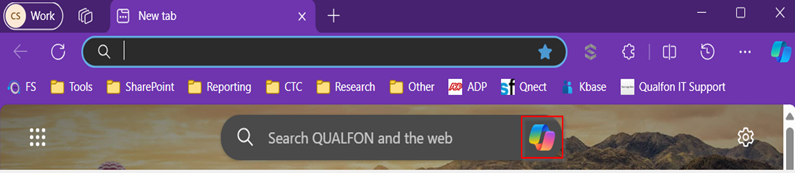
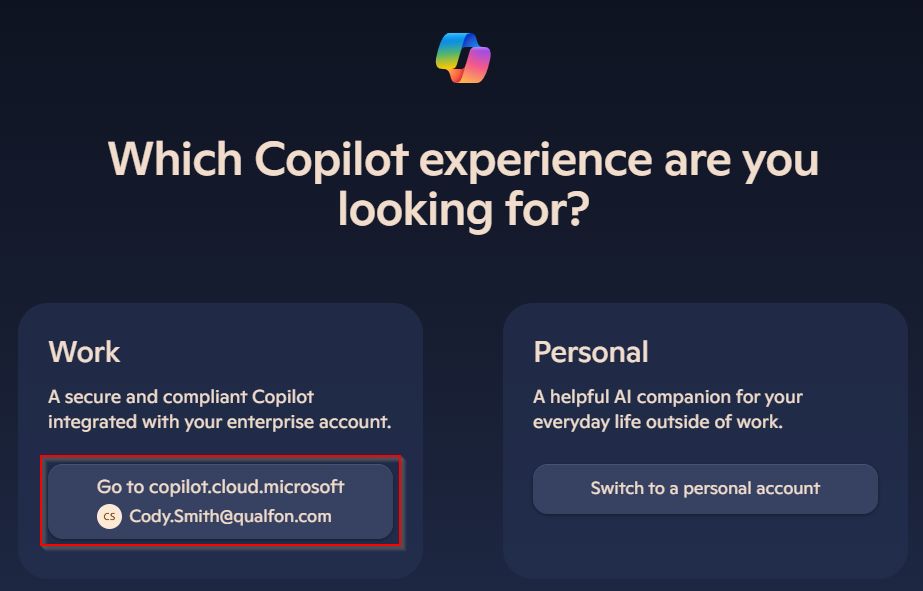
- Website: https://copilot.microsoft.com and sign-in in to the top right corner.
- Top right of the MS Edge web browser to open Copilot in a side menu.

Copilot can assist you with a variety of tasks to make your workday more efficient and productive. Here’s how you can leverage its capabilities:
- Research and Information Gathering:
- What it does: Quickly finds and summarizes information on any topic
- How to use it: Simply ask Copilot to look up information or provide a summary on a specific subject
- Writing and Editing:
- What it does: Helps draft and proofread emails, reports, and presentations
- How to use it: Provide Copilot with the text you need help with, and it will assist in refining and polishing your content
- Data Analysis:
- What it does: Analyzes data and creates charts and summaries
- How to use it: Provide Copilot with the data you need analyzed, and it will help you interpret and visualize the information
- Brainstorming and Problem Solving:
- What it does: Assists in brainstorming ideas and solving problems
- How to use it: Describe the problem or topic you need ideas for, and Copilot will help you generate solutions and new perspectives
- Translation and Language Support:
- What it does: Translates text and provides language assistance
- How to use it: Provide the text you need translated or ask for help with language-related queries
- Learning and Development:
- What it does: Assists with learning new skills and finding educational resources
- How to use it: Ask Copilot for tutorials, courses, or resources on a specific topic you want to learn about
- Customer Support and Interaction:
- What it does: Helps draft responses to customer inquiries and manage support tickets
- How to use it: Provide Copilot with the details of the customer query, and it will help you draft a professional response
- Content Curation:
- What it does: Gathers and curates relevant content for newsletters, reports, or presentations
- How to use it: Ask Copilot to find and compile articles, data, and other content on specific topics
- Time Management:
- What it does: Helps prioritize tasks and manage time effectively
- How to use it: Ask Copilot to create to-do lists, prioritize tasks based on deadlines, and set time blocks for focused work
- Market Research:
- What it does: Conducts market research and competitive analysis
- How to use it: Ask Copilot to gather data on market trends, competitor activities, and industry insights
Revision History
Date Created: 03/11/2026 4:18 pm EDT
Last Modified: 03/11/2026 4:18 pm EDT